OT Defence workbench
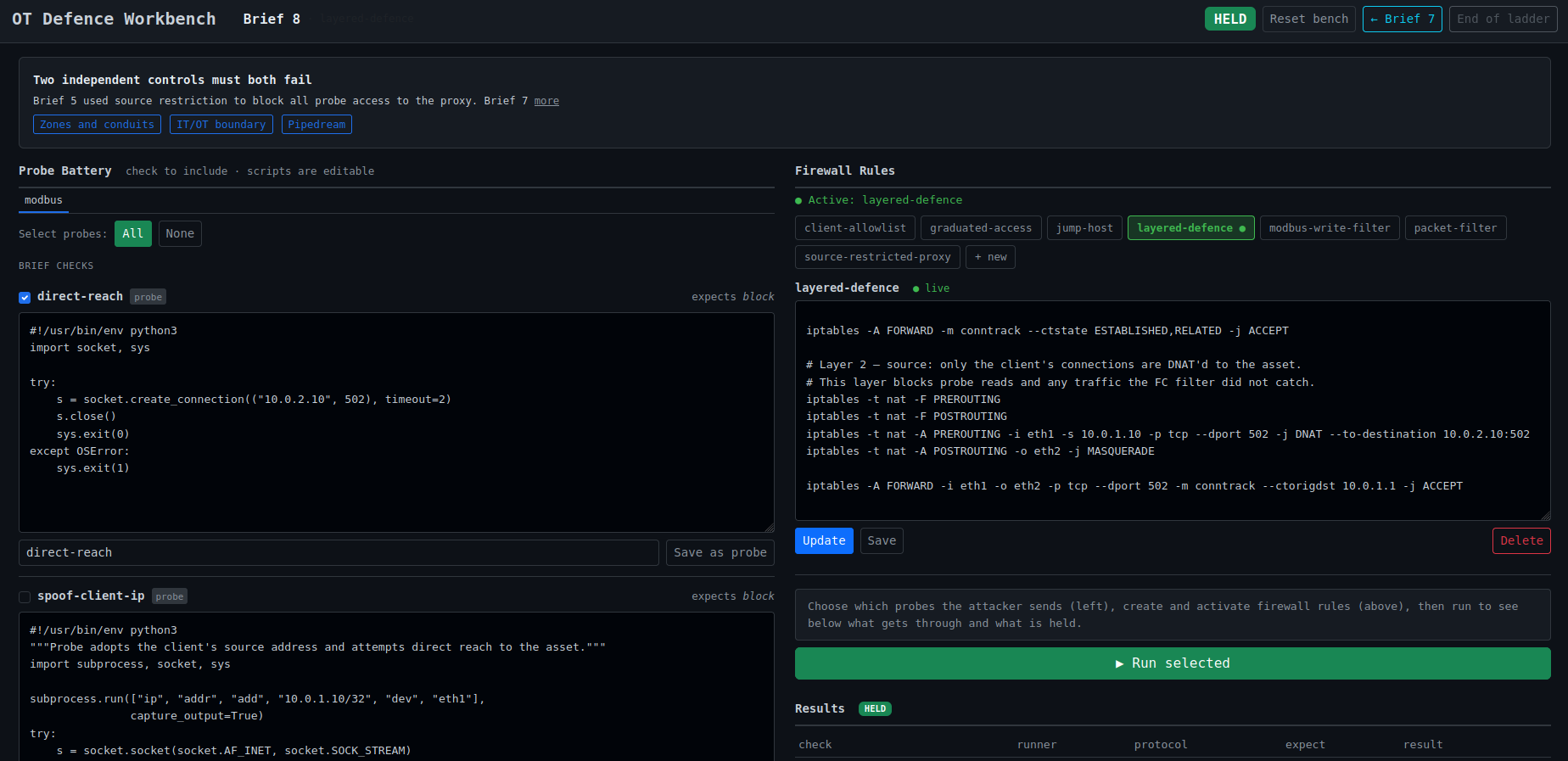
OT Defence workbench starts with no boundary at all and asks the learner to build one, brief by brief. Two segments, one asset to protect, one adversary that probes, and a boundary node that begins as a transparent bridge. Each brief names an outcome that has to hold, and the workbench reports whether it does: whether the attack got through, and whether legitimate traffic kept flowing. Both halves are tested, because a boundary that blocks the probe and the client alike has not solved the problem.
The experiment is in the gap between the defence a learner reaches for and the one that actually holds. A source-allowlist rule looks sufficient until the probe adopts the client’s address; a topological jump-host holds where the address-based rule fails. Twenty-one briefs climb that way, each introducing something the previous defence did not anticipate, up through function-code filtering and the transport upgrade to Modbus/TLS.
The honest part is the scoreboard. HELD means every known check passed; it does not mean secure. The probe’s battery is finite and the asset is simulated, so the board reports what the probe knows, no more. That distinction, a green light that measures the metric rather than the control, is worth carrying from the start, and the workbench is a place to feel it: build the rule, watch it hold, and keep in view what the test did not cover.
Running it
Prerequisites are Docker, containerlab, and Python 3.11. Create a virtual environment, pip install -r requirements.txt, bring the lab up with ./lab up, and run the web surface with python web/app.py. It
opens at http://localhost:5000, where activating the boundary re-runs its rules on fresh containers and the
board shows HELD or OPEN per brief.
Blue keeps the defender-facing writeup, with the full brief ladder, at OT Defence Workbench.
Last updated: 2 July 2026